RAM is the component most likely to be limiting your computer right now, and also the one people understand least well. It gets confused with storage constantly. It is bought by the wrong metric routinely. And the generational upgrade from DDR4 to DDR5 has been marketed with enthusiasm considerably out of proportion to what most users will notice.
The genuinely useful facts about RAM are fairly few, and knowing them will save you more money than any benchmark chart. This guide covers what RAM does, how DDR5 differs from DDR4, whether the difference matters for you, and — the question that actually affects your daily experience — how much you need.
What RAM is, and what it is not
RAM is your computer’s working space. When you open an application or a file, it loads from storage into RAM, because RAM is dramatically faster to read and write.
Storage is where things live permanently. RAM is where things live while in use. Storage survives a power cut; RAM empties completely.
The kitchen analogy is worn but accurate: storage is the cupboard, RAM is the countertop. A large cupboard lets you keep a lot of ingredients. A large countertop lets you work on several dishes at once without constantly putting things away and fetching them again.
When RAM fills, the operating system starts moving less-used data back to storage to free space — a process called paging or swapping. Storage is far slower than RAM, so this is where a machine goes from responsive to painful. Almost every “my laptop suddenly became unusable when I opened a few tabs” experience is this.
What DDR5 changed
DDR5 succeeded DDR4 as the mainstream memory standard. The meaningful changes:
Higher speeds. DDR4 commonly ran between 2133 and 3600 MT/s. DDR5 starts around 4800 and goes considerably higher.
Larger capacity per module. DDR5 supports much bigger individual sticks, which matters for workstations far more than for ordinary machines.
Split channels per module. Each DDR5 stick is internally divided into two independent channels, improving efficiency when handling many simultaneous requests.
Power management moved onto the module. DDR4 modules relied on the motherboard for voltage regulation; DDR5 handles it on the stick itself, which improves stability and efficiency but adds cost.
Lower voltage. 1.1V versus 1.2V, so slightly less power and heat.
Error correction on the die. DDR5 includes basic error correction within the chips themselves. This is not the same as full ECC memory used in servers, but it improves reliability as densities increase.
The catch: latency
Here is the part the marketing omits. DDR5 runs at higher speeds but also at higher latency in clock cycles.
Speed is how much data can move per second. Latency is how long you wait before it starts moving. DDR5 improved the first while regressing on the second, and the two partly cancel out.
The practical effect is that early DDR5 offered a much smaller real-world improvement than the specification gap suggested — in many tasks, barely any. Later DDR5 has improved as speeds rose further and timings tightened, and the gap is now genuinely favourable, but it was never the leap the numbers implied.
Does the difference matter to you?
Honestly, for most uses, very little.
Everyday work — browsing, documents, streaming, video calls. The difference is essentially imperceptible. Having enough RAM matters enormously; which generation it is does not.
Gaming. Modest gains, usually a few per cent, and only when the graphics card is not the limiting factor. Some games benefit more than others.
Video editing, 3D rendering, compiling, running virtual machines, large datasets. Here DDR5’s bandwidth genuinely helps, and the difference becomes worth having.
Integrated graphics. This is the underappreciated case. Integrated graphics borrow system memory, so memory bandwidth directly limits graphics performance. DDR5 helps noticeably on machines without a discrete card.
You cannot mix them
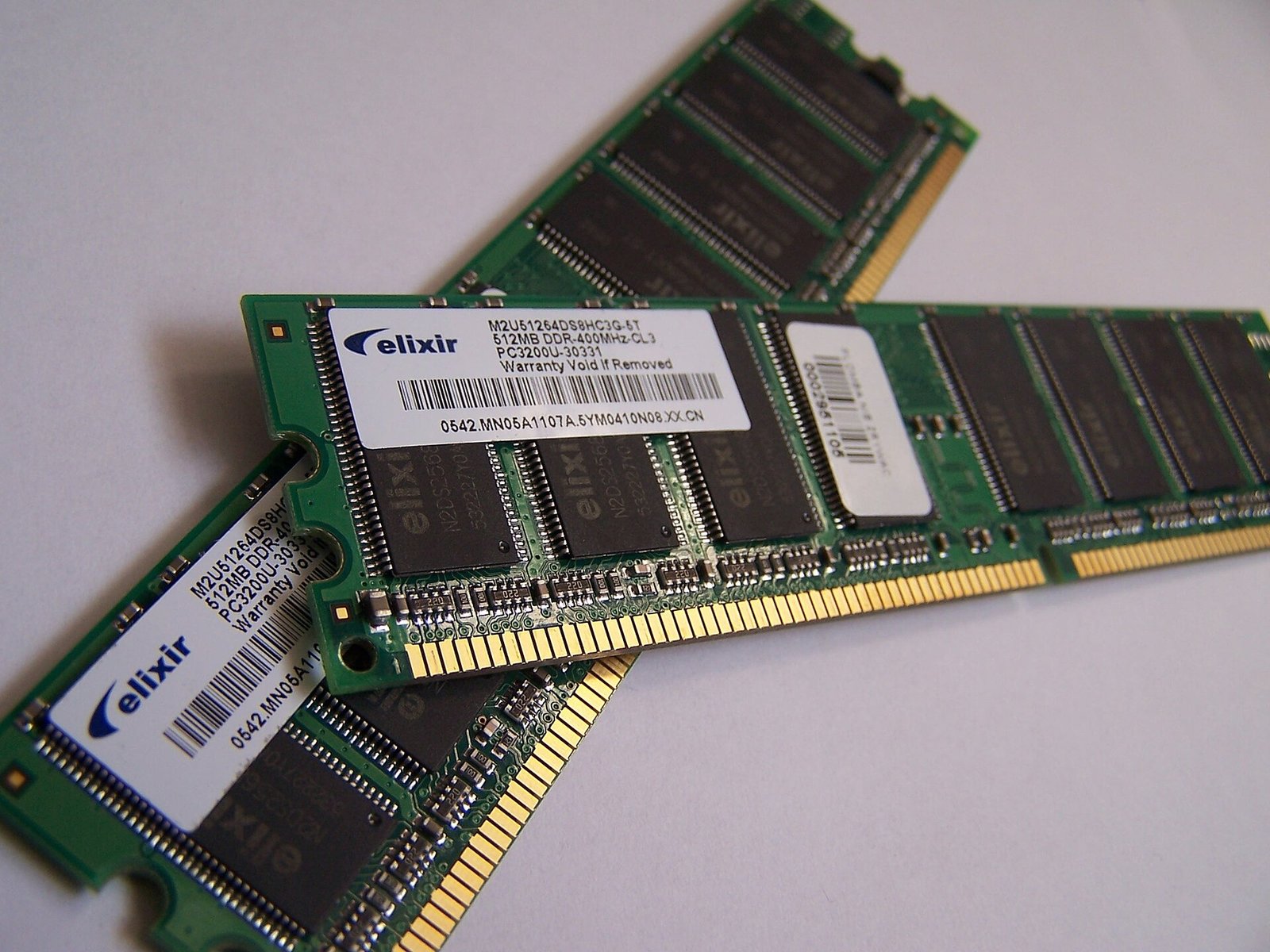
This is the practical constraint that decides most purchases. DDR4 and DDR5 are physically and electrically incompatible. Different notch positions, different pin counts, different voltage arrangements.
A DDR4 motherboard takes DDR4 only. A DDR5 motherboard takes DDR5 only. You cannot upgrade a DDR4 system to DDR5 by buying new sticks — it requires a new motherboard, and usually a new processor too.
So for anyone with an existing machine, the DDR4 versus DDR5 debate is not a decision. Your platform already decided. The only real question is how much you have and whether to add more.
How much RAM do you actually need?
This matters far more than the generation, and it is where most machines fall short.
4GB — inadequate for a Windows machine now. Painful with a browser open. If you have a laptop with 4GB and it feels slow, this is almost certainly why, and adding memory will change it more than anything else you could do.
8GB — a workable minimum. Fine for browsing, documents, streaming and light use, provided you are not opening dozens of tabs.
16GB — the sensible target for most people today. Comfortable for heavy multitasking, light editing, and moderate gaming. If you are buying a laptop that cannot be upgraded later, this is the figure to insist on.
32GB — for video editing, 3D work, virtual machines, large spreadsheets or running AI models locally.
64GB and above — specialist workstation territory.
A specific warning for laptop buyers: many thin laptops now solder the RAM to the board, making later upgrades impossible. Check before buying. Paying once for 16GB is far cheaper than discovering in two years that 8GB is not enough and cannot be changed.
Channels: the free performance people miss
Memory works in channels. Two matched sticks running in dual channel mode provide substantially more bandwidth than a single stick of the same total capacity.
The practical implication: 2 × 8GB is meaningfully faster than 1 × 16GB, particularly on machines using integrated graphics, where the improvement can be dramatic.
Many budget laptops ship with a single stick to save cost. Adding a second matching stick is one of the cheapest and most effective upgrades available, and many owners never realise the option exists.
Buying practically
Check what your machine takes before ordering anything — generation, form factor (laptops use SODIMM, desktops use DIMM), and the maximum your motherboard supports.
Match sticks where possible. Same capacity, same speed, ideally the same kit. Mismatched memory usually works but runs at the slower module’s timings and occasionally causes instability.
Enable the memory profile. Desktop RAM sold at a rated speed frequently runs slower by default until you enable XMP or EXPO in the BIOS. A great many people pay for fast memory and never switch it on.
Buy from a seller you can return to. Counterfeit and relabelled memory circulates, and faulty RAM produces intermittent crashes that are miserable to diagnose.
Do not overspend on speed. Beyond a sensible mainstream speed, the returns are small. Capacity first, dual channel second, speed a distant third.
The short version
RAM is working space; storage is where things live. Running out of it is the most common cause of a computer feeling slow, and adding more is usually the cheapest fix available.
DDR5 offers higher bandwidth and higher latency than DDR4, which makes the real-world gain smaller than the specifications imply — meaningful for editing, rendering and integrated graphics, marginal for everyday use. You cannot mix the two, so your existing machine has already made that choice for you.
Get to 16GB if you can, run two matched sticks rather than one, check whether your laptop’s memory is soldered before you buy it, and enable the speed profile you already paid for.
Sources and verification
We checked the practical guidance on this page against the primary or authoritative references below. Follow the linked source for the latest official position before making a payment or time-sensitive decision.
Cores, threads, clock speed, cache. Here is what a CPU actually does, what the specifications mean in practice, and which numbers matter when you are buying a phone or laptop.
NFC is what makes tap-to-pay, contactless cards and instant device pairing work. Here is how it actually functions, why it only works at a few centimetres, and where Nigerians meet it every day.
All USB-C ports look identical and behave completely differently. Here is why cables are not interchangeable, what Thunderbolt adds, and how to avoid buying the wrong one.
Adding RAM is the cheapest meaningful upgrade for most computers. Here is how to check what you need, buy the right kind, and install it without damaging anything.
Wi-Fi 6, 6E and Wi-Fi 7 are marketing names for real technical changes. Here is what each one actually improves, and whether upgrading your router in Nigeria is worth the money.
Bluetooth is in every phone, earbud and speaker, and it drops at the worst moments. Here is how it actually works, what the version numbers mean, and how to fix the common failures.